Admin Price Manager
Bulk-edit product variant pricing directly from the OpenCart admin panel — no more opening each product individually. Built because OC3's native price management is painful at any real scale.
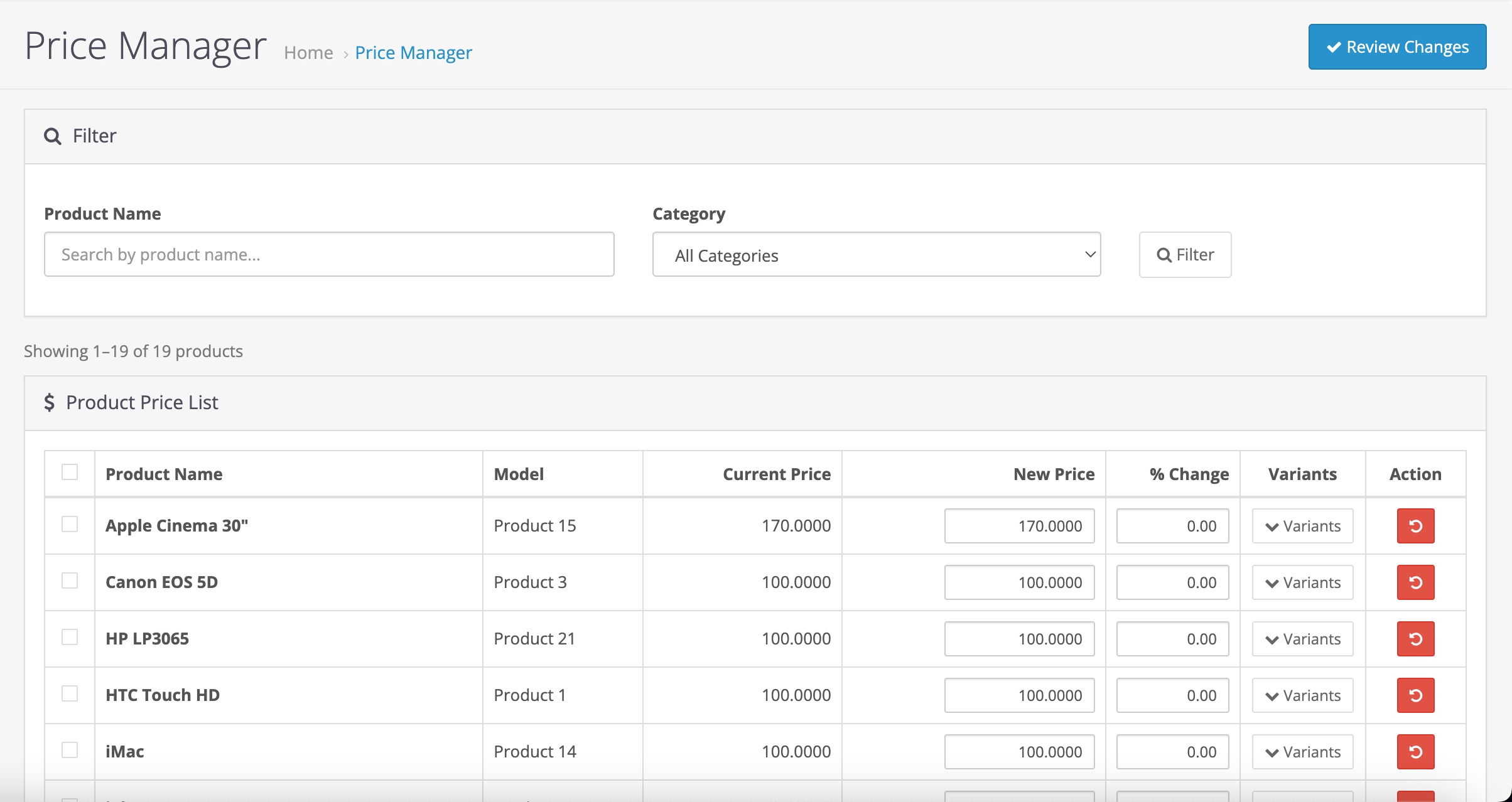
All products, one view
Every product in your store listed in a single table with editable price fields. No opening products one at a time.
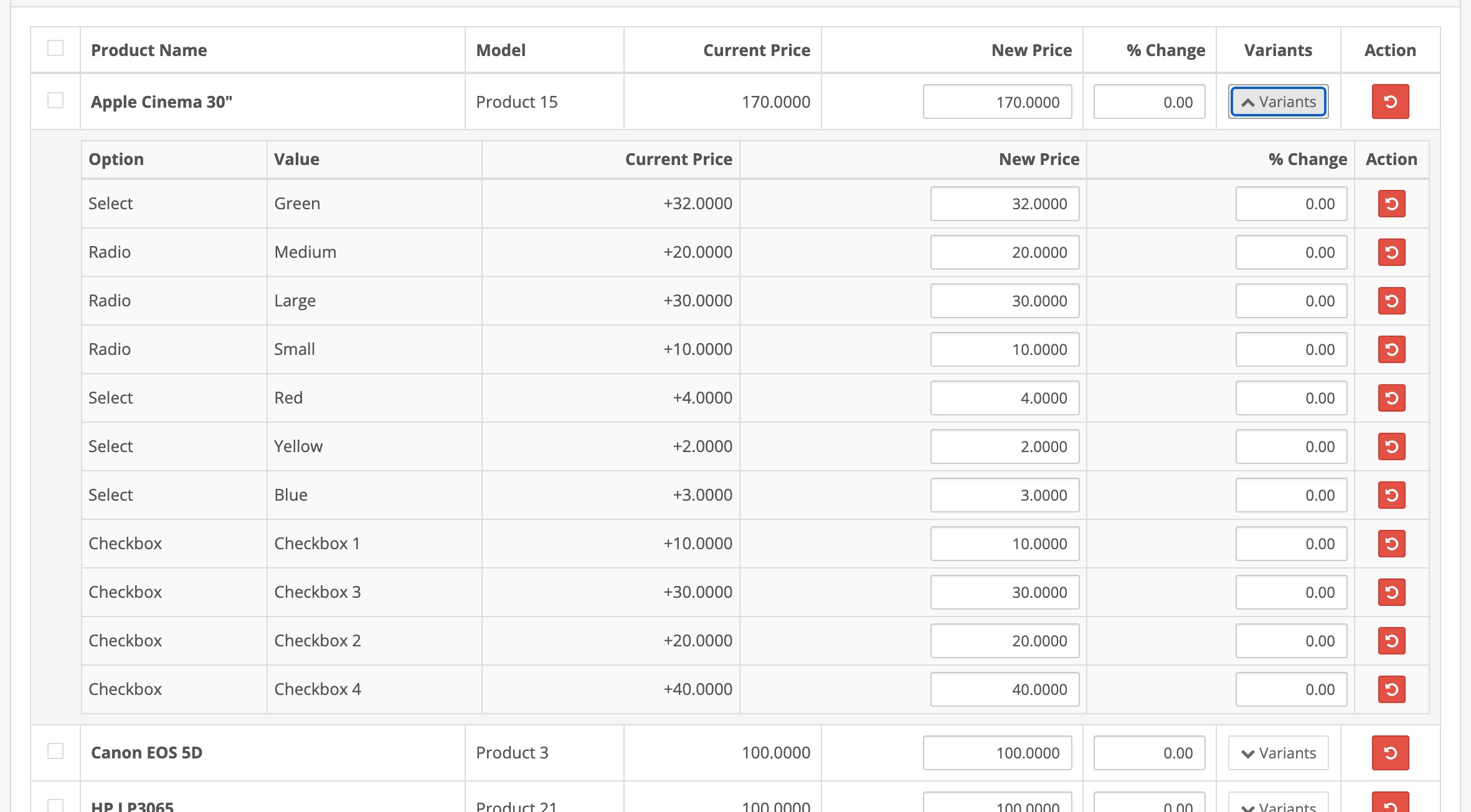
Expandable variant rows
Click Variants on any product to expand its option values inline. Edit each variant price directly in the table without leaving the page.
Filter by category
Dropdown filter by category so you can focus on one section of your catalog at a time. Essential for stores with hundreds of products.
Search by product name
Type any part of a product name to filter the list instantly. Find exactly what you need without scrolling.
Per-row percentage change
Enter a percentage in the % Change field on any row and the new price calculates automatically. Adjust by percentage or set an absolute value — your choice per line.
Bulk percentage apply
Select multiple products and apply a percentage change to all base prices or base prices and variants in one click.
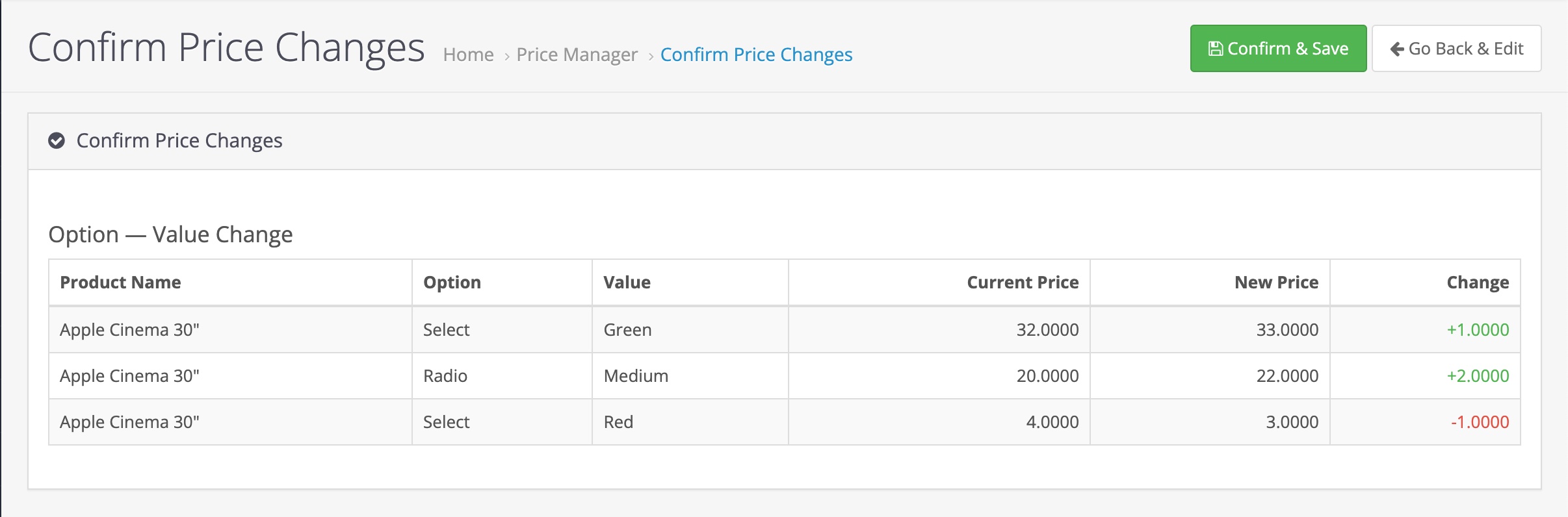
Confirmation step
Review all pending changes before anything saves. See current price, new price, and the delta for every modified row. Go back and edit if anything looks wrong.
No core file modifications
Installs via OpenCart's standard extension system. Clean uninstall leaves nothing behind.
Standard OpenCart extension install — no FTP required if your server has write access to the extension directory.
1. Download the .ocmod.zip file after purchase.
2. Go to Extensions → Installer in the OpenCart admin.
3. Upload the zip file.
4. Go to Extensions → Modifications and click Refresh.
5. Go to Extensions → Extensions → Modules, find Admin Price Manager, and click Install.
6. The extension appears under the admin menu.
Full documentation included in the download as README.md.
Ready to stop editing prices one at a time?